
 by NestPlugins
InvoiceNest
Invoices, estimates and online payments for WordPress.
Email branded invoices with a pay link, take card and PayPal payments, and watch invoices mark themselves paid. Free on WordPress.org — no add-ons needed for Stripe.
Features
Built for small businesses that bill customers
Get paid online, free
Every invoice gets a secure link. Customers pay by card (Stripe) or PayPal, and the invoice is marked paid automatically. No add-on needed.
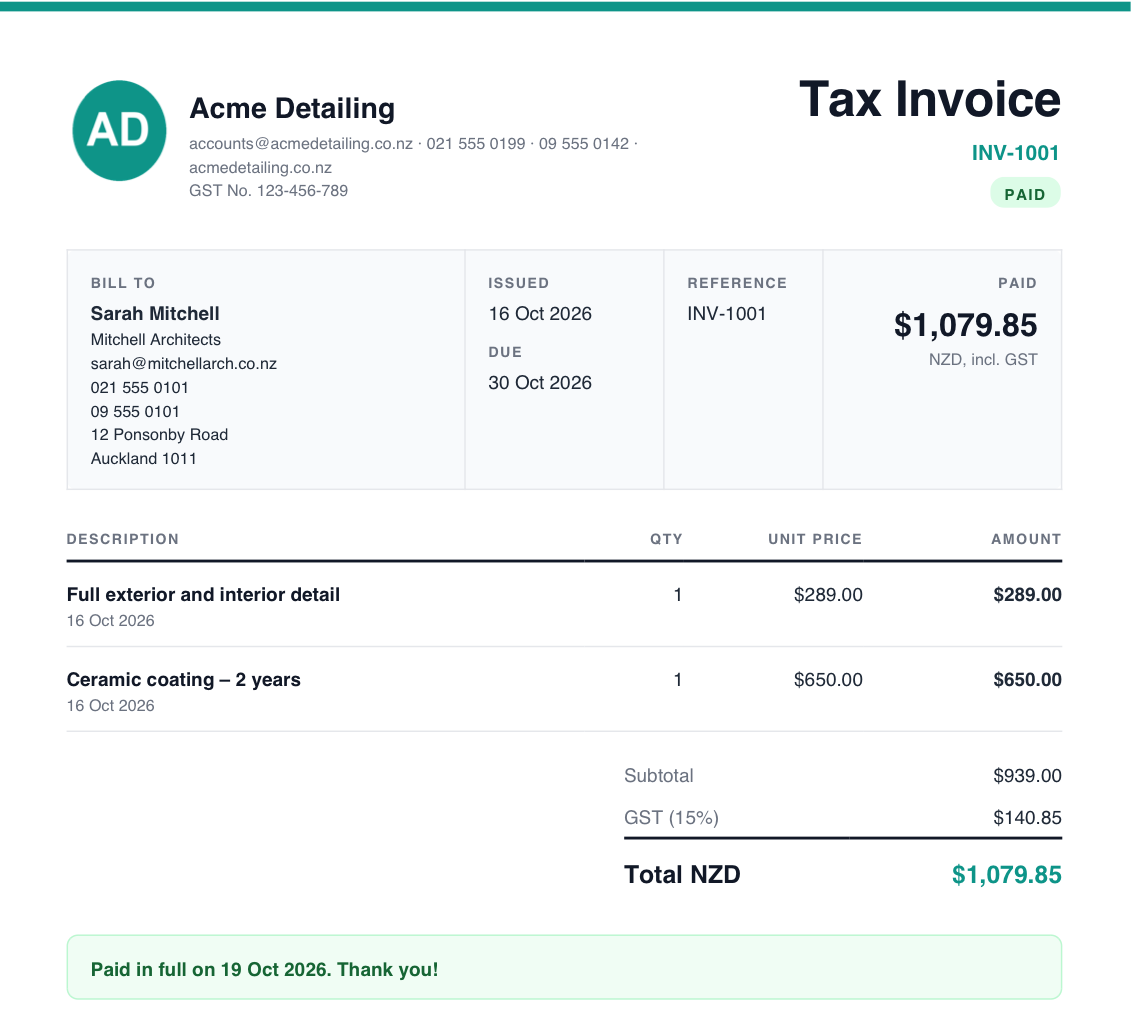
Branded PDFs
Clean invoice, estimate and statement PDFs with your logo and colour, and file names like Invoice-INV-1001-Acme-Ltd.pdf.
Emails that look professional
Send invoices and statements in a tidy branded email, from your own sender name, with replies going to your business email.
Invoice numbers you can trust
Numbers are assigned when an invoice is saved, so two invoices can never share one. Estimates get their own EST- sequence.
Your tax, your currency
GST, VAT or sales tax at your rate, in NZD, AUD, USD, GBP, EUR or CAD. Each invoice keeps the rate it was created with.
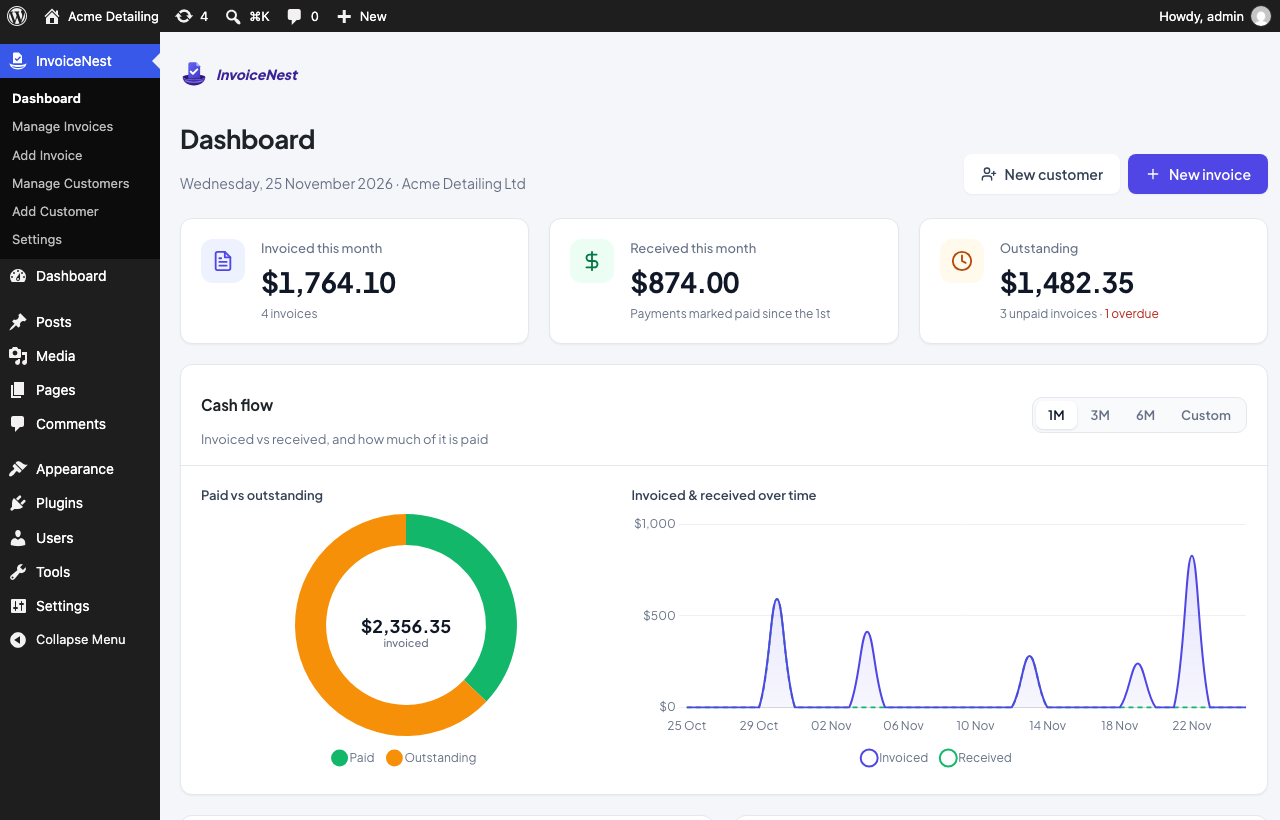
See what’s owed
A dashboard of what you invoiced, what came in and what’s overdue — plus customer statements in one click.
Back-office mode
Using the site only for invoicing? Send visitors to the login page or your main website, with your business name on the login screen.
Secure by design
Every request is checked, every output escaped, and payments are verified with Stripe and PayPal before an invoice is marked paid.
Ready for any language
Every word is translatable, and nothing loads from other sites — fonts and scripts are part of the plugin.
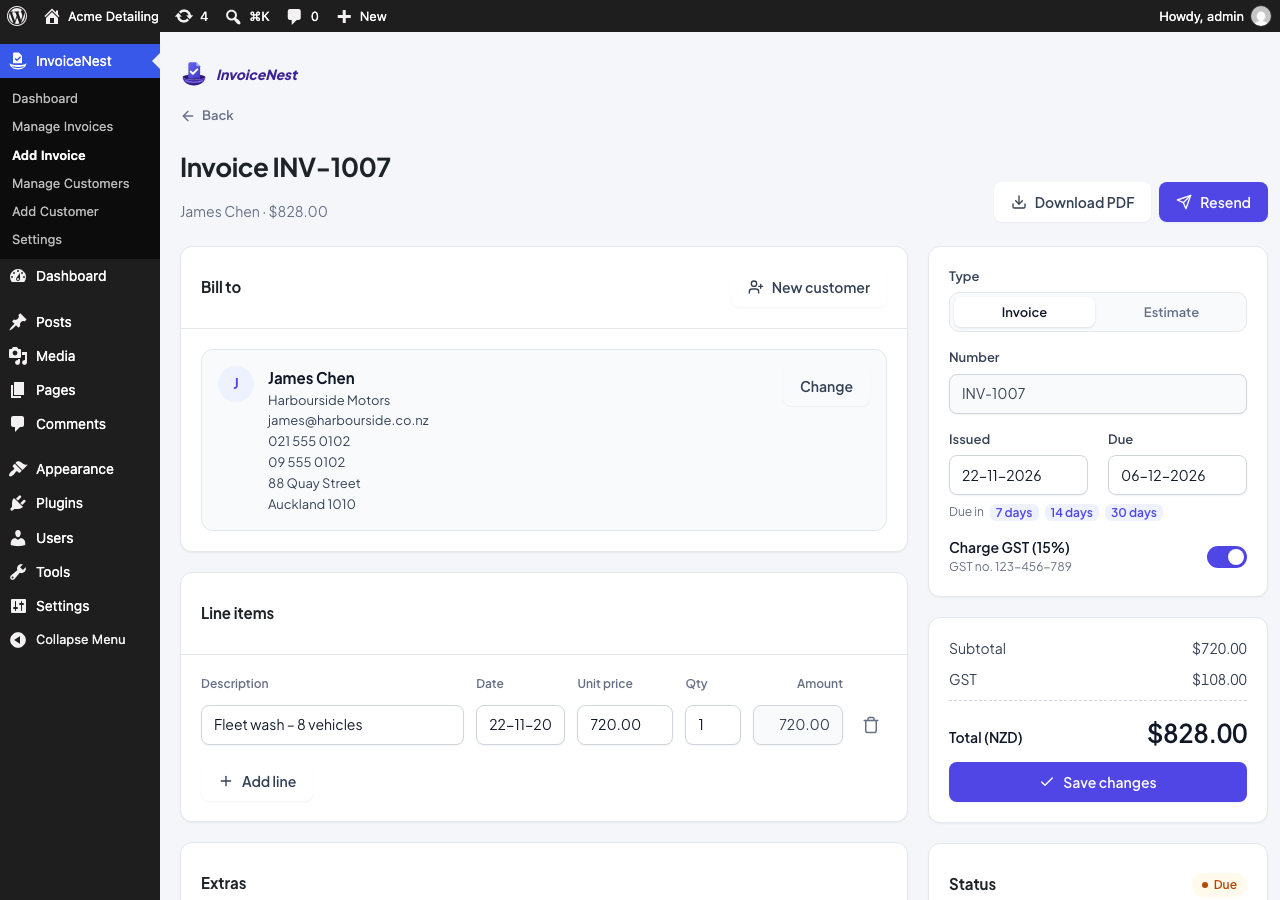
Write invoices in seconds
Pick a customer, add line items, and InvoiceNest works out tax and totals. Turn an accepted estimate into an invoice and it gets the next invoice number automatically.
PDFs your customers will trust
Modern, branded invoice, estimate and statement PDFs, attached to a clean email — with a pay link when online payments are on.
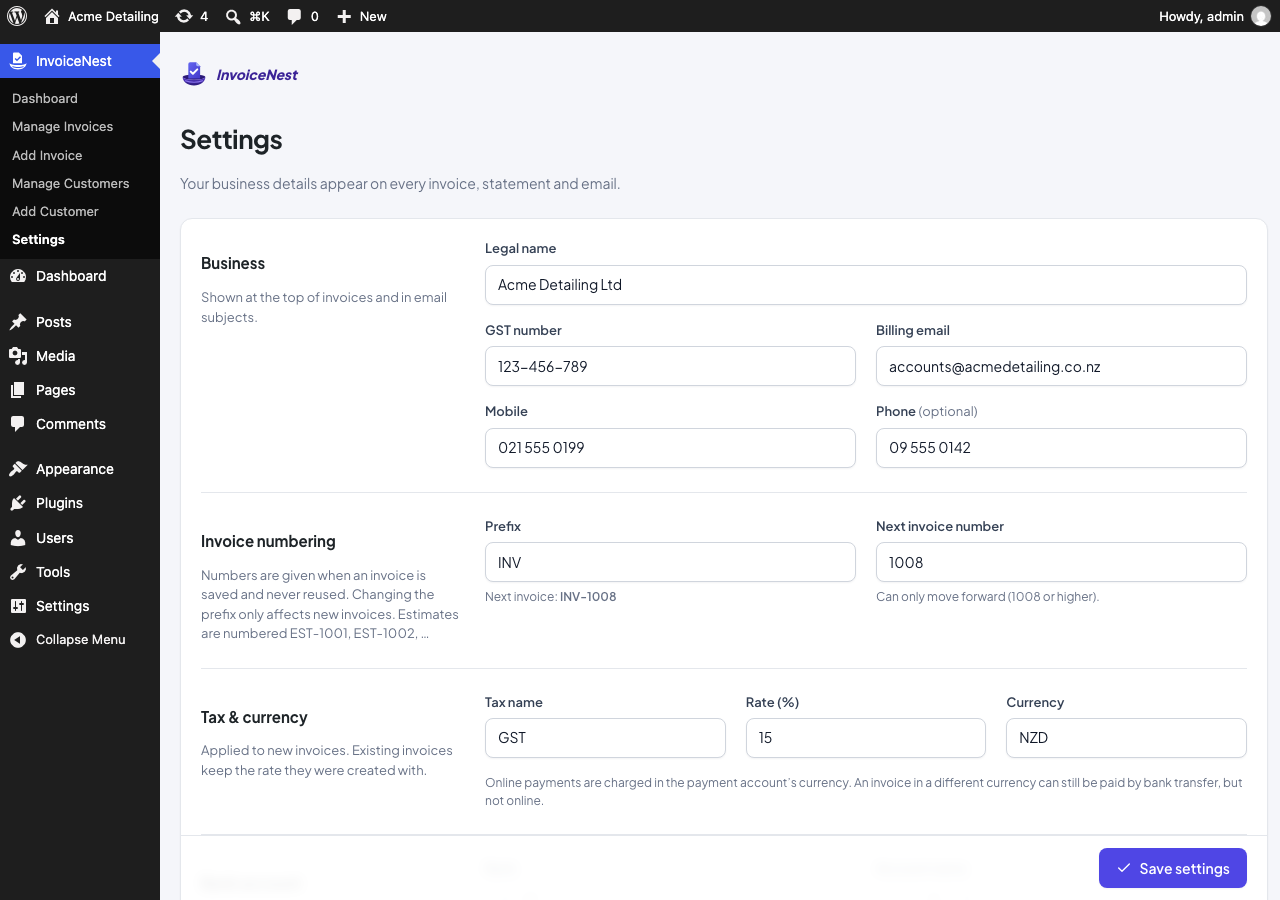
Set it up once
Your logo and colour, sender name, Cc, tax and currency, invoice prefix and next number, Stripe and PayPal keys — all on one settings page.
Get started
Up and running in three steps
- 1
Install and add your details
Install InvoiceNest from WordPress.org, then add your business name, bank account, tax and invoice prefix.
- 2
Connect Stripe or PayPal
Paste your keys and add one webhook in Stripe. Optional — bank transfer works without it.
- 3
Send your first invoice
Pick a customer, add what you did, and email it. They pay from the link; you see it marked paid.
Free and Pro
Start free. Add Pro when your business grows.
The free version covers everything a single business needs. Pro adds teams, certificates and a convenience fee for online payments.
| Feature | Free | Pro |
|---|---|---|
| Invoicing | ||
| Unlimited invoices, estimates and customers | ||
| Branded invoice, estimate and statement PDFs | ||
| Branded emails with sender, Reply-To and Cc | ||
| Safe invoice numbering and estimate sequence | ||
| Tax name, rate and currency | ||
| Dashboard and customer statements | ||
| Getting paid | ||
| Stripe and PayPal payment links | ||
| Invoices marked paid automatically | ||
| Convenience fee on online payments | — | |
| Teams and documents | ||
| Contractors with their own logins and customers | — | |
| Each contractor’s own payment accounts and branding | — | |
| Service certificates you design (e.g. paint protection, PPF) | — | |
| Site | ||
| Back-office mode and branded login page | ||
FAQ
Questions, answered
Is InvoiceNest really free?
Yes. The free version on WordPress.org has unlimited invoices, customers, PDFs, emails and Stripe/PayPal payments — no trial, no limits. Pro adds features for teams and certificates.
Do I need Stripe or PayPal?
No. Customers can always pay by bank transfer using the details on the invoice. Connect Stripe or PayPal when you want to take payments online.
Are online payments safe?
Card details never touch your site. Customers pay on Stripe’s or PayPal’s own checkout, and InvoiceNest confirms each payment with them before marking the invoice paid.
What do I need to run it?
WordPress 6.2 or newer and PHP 7.4 or newer. It works on normal shared hosting.
Will I lose my invoices if I uninstall?
No. Your invoices, customers and settings are kept unless you choose to delete everything in Settings.
When is Pro available?
We’re building it now. Join the waitlist on the pricing page and we’ll let you know.
Something else? Get in touch